

Adding Recipe Schemas (RecipesSchemaAdded)
This document is written for 1.20.1. In 1.21 this approach is gone; 1.21 uses a different method.
In KubeJS 1.20, a recipeSchemaRegistry startup event (startup) was added. This lets you add a simple "schema" for recipe types that do not have KubeJS support.
For example, createmetallurgy (Create: Metallurgy) does not ship KubeJS support.
I asked the author, and they said they truly do not have time to learn KubeJS right now.
This mod has a casting-table recipe similar to . In JSON form it looks like:
json
{
	"type": "createmetallurgy:casting_in_table",
	"ingredients": [
		{
			"item": "createmetallurgy:graphite_plate_mold"
		},
		{
			"fluid": "createmetallurgy:molten_brass",
			"amount": 90
		}
	],
	"processingTime": 80,
	"mold_consumed": false,
	"result": {
		"item": "create:brass_sheet"
	}
}
After adding a schema (called Schema below), the same recipe can be written like this:
js
ServerEvents.recipes((event) => {
	const { createmetallurgy } = event.recipes

	createmetallurgy.casting_in_table("create:brass_sheet", [
		"createmetallurgy:graphite_plate_mold",
		Fluid.of("createmetallurgy:molten_brass", 90)
	]).processingTime(80).mold_consumed(false)
})
Main Content
That is enough for the introduction. The main tutorial starts below (full code is at the end 👇).
First, download the Schema helper Java file: . It contains many component type definitions. You will reference it frequently while writing schemas.
Then download from . This file is a set of helpers that greatly improves authoring efficiency.
Place the file under kubejs/startup_scripts/@recipes.
Now you can write your own schema. Create a JS file whose name matches the target mod's modid.
For example:
createmetallurgy.js
We'll use createmetallurgy as the example. After creating the file, start by writing:
js
new Schema()The first argument is the recipe type. You can find it in the recipe JSON under "type". For example, the casting-table recipe above uses "createmetallurgy:casting_in_table".
js
new Schema("createmetallurgy:casting_in_table")Next, add .simpleKey() calls.
The first argument is the key name: the top-level key in the JSON, such as ingredients, processingTime, result, etc.
The second argument is the component type. You need to look it up in the mentioned above.
The third argument is optional. For strings, you list allowed values using ||, for example: "superheated" || "heated".
Next, we'll use createmetallurgy:casting_in_basin as the main walkthrough example.
First: the order of .simpleKey(...) definitions determines the argument order in ServerEvents.recipes.
For example, if you define ingredients first, then the first argument of createmetallurgy.casting_in_basin(...) will correspond to ingredients, not result/results.
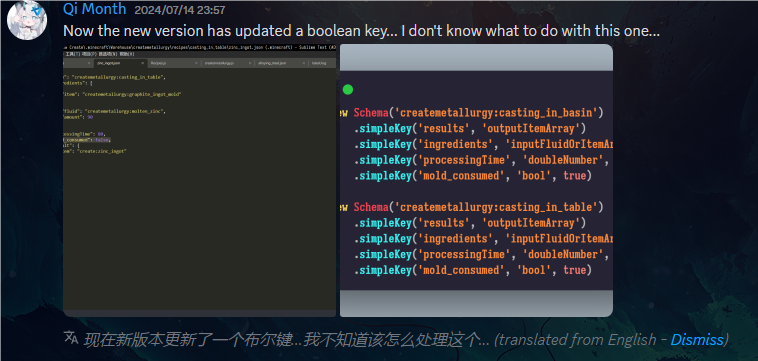
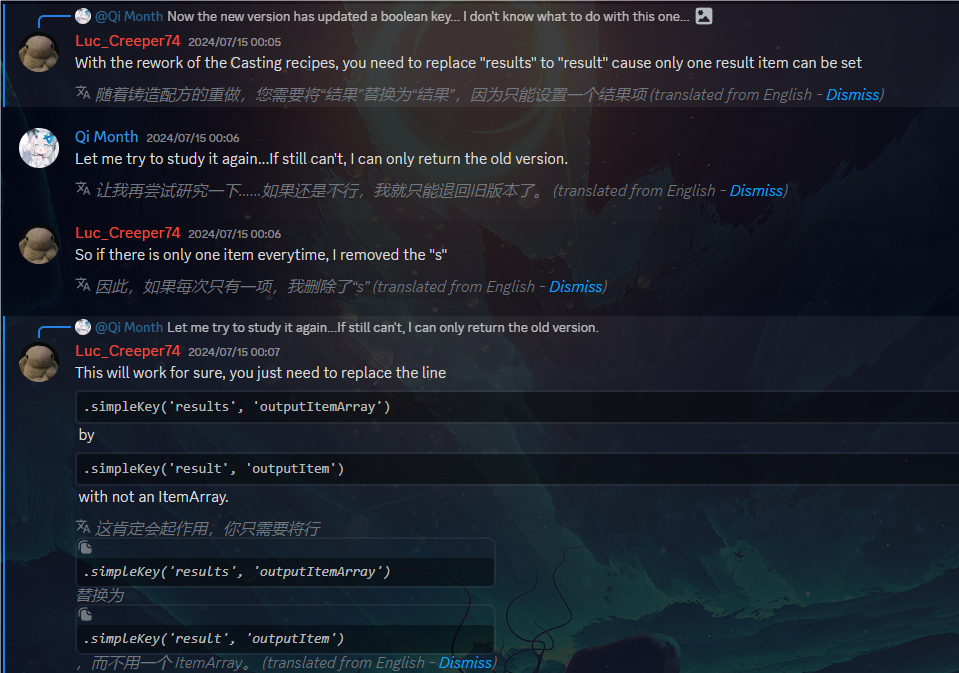

If you want your function call to look like other recipe APIs, you generally want result/results first, and ingredients/input second.
Let's start with result vs results. The difference is the extra s: in English that usually indicates plural. So results typically means multiple outputs.
After deciding the key name, the next step is to choose the component type. Open the game and inspect a recipe:
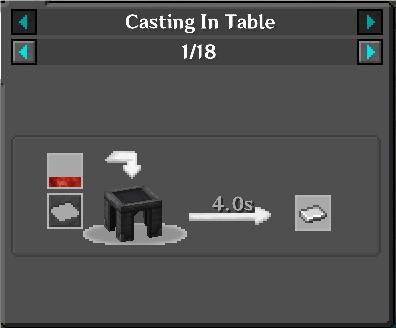
Based on an educated guess, this recipe type seems to output a single item. So in we look for a component type related to output + item, such as outputItem, and try that first. If it is wrong, we iterate.
js
new Schema("createmetallurgy:casting_in_basin")
	.simpleKey("result", "outputItem")
Next is ingredients. From the JSON, this key is an array and it can contain both an item ingredient and a fluid ingredient (for example: molten metal + a mold). Let's look at the JSON:
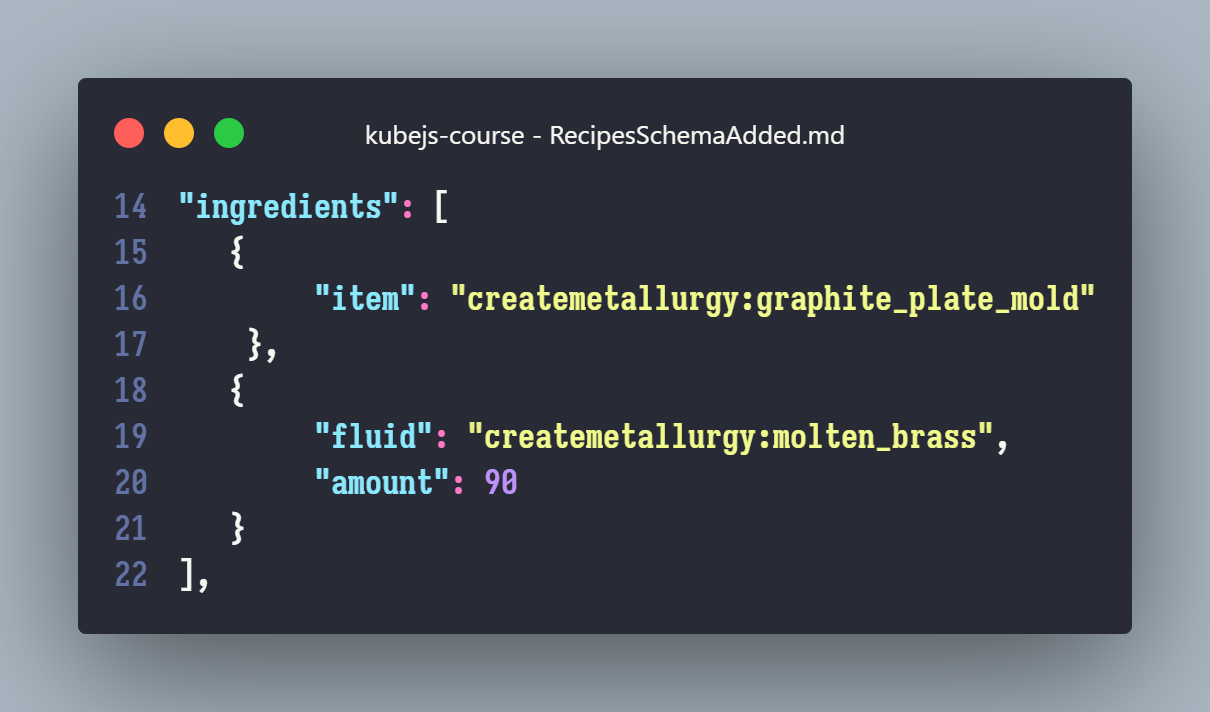
It is clear that ingredients contains [], i.e. an array. You might search for Array first, which is correct, but the key detail is that the array can contain both item and fluid. Based on keywords like Array, item, and fluid, we can choose inputFluidOrItemArray for the type.
After writing this minimal schema, run /probejs dump in-game and restart VS Code. You should then see code completion for the generated wrapper.

Now write a simple recipe:
js
ServerEvents.recipes((event) => {
	const { createmetallurgy } = event.recipes

	createmetallurgy.casting_in_basin("minecraft:brick", [
		Fluid.of("minecraft:lava", 90),
		"#forge:ingots/iron"
	])
})
In theory, this already works. But this recipe also has processingTime and mold_consumed, which correspond to "processing time" and "whether the mold is consumed".
So we should add both keys as well. These two are relatively straightforward.
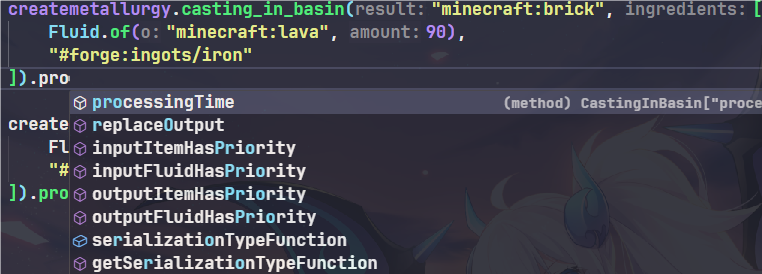
First is processingTime. It is a number (in ), so choose a numeric component type. The third argument (default value example) is optional, but it's better to provide one.
Here we use doubleNumber. For processing time, it is usually exposed as a chained method on the recipe call:
Next is mold_consumed. In JSON it is a boolean (true/false), so choose a boolean component type (for example bool) and list possible values with false || true.
Then run dump again and write a full recipe:
js
ServerEvents.recipes((event) => {
	const { createmetallurgy } = event.recipes

	createmetallurgy.casting_in_basin("minecraft:brick", [
		Fluid.of("minecraft:lava", 90),
		"#forge:ingots/iron"
	]).processingTime(114).mold_consumed(true)
})
Game Be Staring...
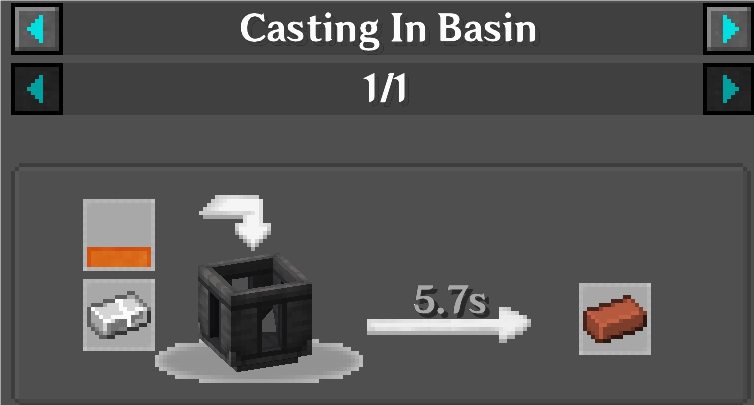
Everything looks fine. Here is the schema:
js
new Schema("createmetallurgy:casting_in_basin")
	.simpleKey("result", "outputItem")
	.simpleKey("ingredients", "inputFluidOrItemArray")
	.simpleKey("processingTime", "doubleNumber", 100)
	.simpleKey("mold_consumed", "bool", false || true)
The remaining recipe types follow the same pattern. Try writing them yourself.
Tips
Create-style heatRequirement is a key whose value is a string. In your schema, define this key as a nonEmptyString, then list allowed heat levels separated by ||.
Then in recipes you can chain .heatRequirement(string) to configure it.
Full Code Example
js
new Schema("createmetallurgy:casting_in_basin")
	.simpleKey("result", "outputItem")
	.simpleKey("ingredients", "inputFluidOrItemArray")
	.simpleKey("processingTime", "doubleNumber", 100)
	.simpleKey("mold_consumed", "bool", false || true)

new Schema("createmetallurgy:casting_in_table")
	.simpleKey("result", "outputItem")
	.simpleKey("ingredients", "inputFluidOrItemArray")
	.simpleKey("processingTime", "doubleNumber", 100)
	.simpleKey("mold_consumed", "bool", false || true)

new Schema("createmetallurgy:grinding")
	.simpleKey("results", "outputItemArray")
	.simpleKey("ingredients", "inputItemArray")
	.simpleKey("processingTime", "doubleNumber", 100)

new Schema("createmetallurgy:alloying")
	.simpleKey("results", "outputFluidOrItemArray")
	.simpleKey("ingredients", "inputFluidOrItemArray")
	.simpleKey("heatRequirement", "nonEmptyString", "superheated" || "heated")
	.simpleKey("processingTime", "doubleNumber", 100)

new Schema("createmetallurgy:melting")
	.simpleKey("results", "outputFluidArray")
	.simpleKey("ingredients", "inputItemArray")
	.simpleKey("heatRequirement", "nonEmptyString", "superheated" || "heated")
	.simpleKey("processingTime", "doubleNumber", 100)